Pre-release

Coming to iOS and Android

Make German words your own.

MitLernen is a German–English dictionary and vocabulary trainer in one. Look words up, see them in real sentences, hear real speakers, and practise with spaced repetition. The dictionary and the recordings work offline.

Small steps. New worlds.

For iPhone (iOS 17 or later) and Android (8.0 or later).

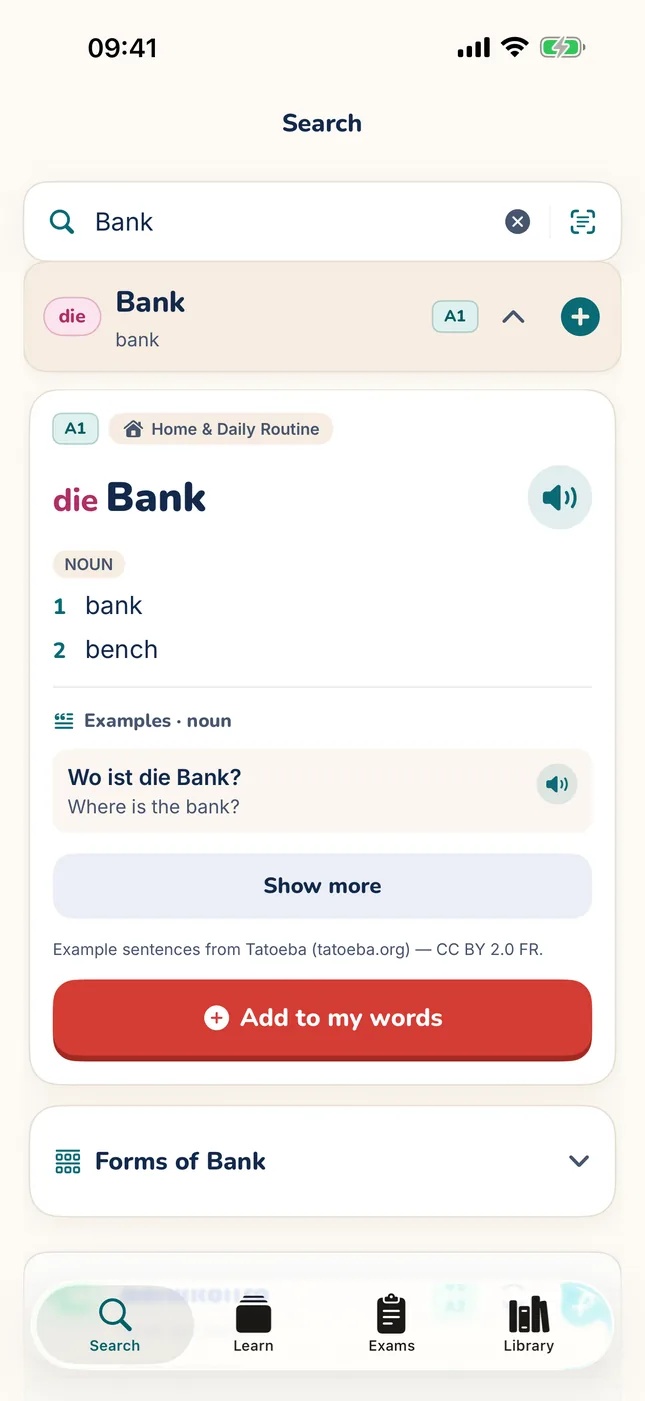
MitLernen on iPhone: the word card for die Bank, level A1, with a speaker button, the meanings bank and bench, an example sentence with its English translation, and an Add to my words button.
The MitLernen mascot: a friendly red crab with big eyes and raised claws.
Screenshot from the current pre-release build (iPhone).

Get notified at launch

MitLernen isn’t on the App Store or Google Play yet. Leave your email and you’ll hear when it is.

Your address is used only for this waitlist. It’s stored with the hosting provider, Cloudflare, and deleted after the launch announcement, or any time you ask.

How it works

Three small steps

From a word you meet to a word you know.

  1. Discover

    Look a word up, or scan a sign, a menu or a page. See its meanings, grammar and real example sentences, and hear how it sounds.

  2. Save

    Keep the words that matter to you. They go into your own library.

  3. Practise

    Short sessions bring each word back just before you’d forget it. You practise its meaning, article and plural, and you write it yourself.

Inside the app

Real screens from the pre-release builds

Unedited screenshots from the iOS Simulator and an Android emulator, with demo progress loaded. Under each one: why it helps you learn, and why it looks the way it does.

Show screenshots for
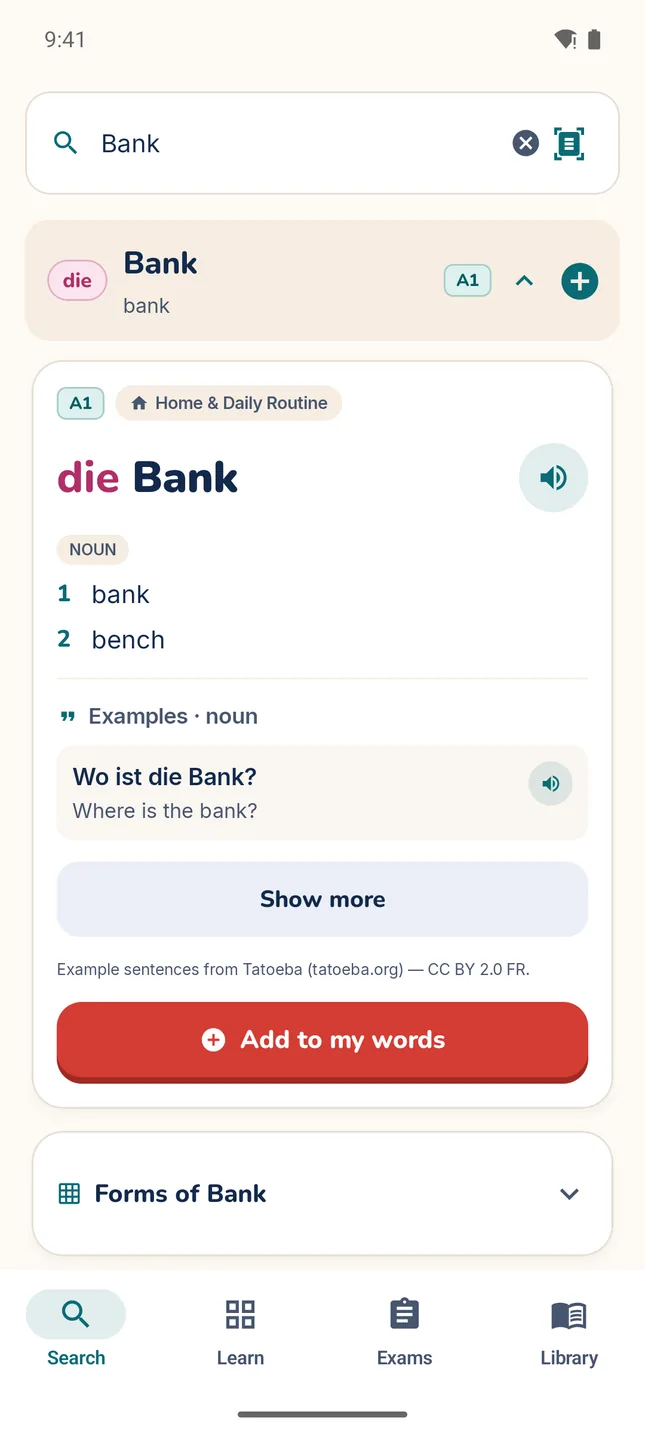
  • MitLernen word card for die Bank: level A1, topic Home & Daily Routine, a speaker button, the meanings bank and bench, an example sentence with its translation, and an Add to my words button.
    MitLernen word card for die Bank: level A1, topic Home & Daily Routine, a speaker button, the meanings bank and bench, an example sentence with its translation, and an Add to my words button.

    Every noun with its article

    Learning: The article is part of the word: you meet die Bank, not just Bank, so you learn the gender with the meaning.

    Design: A real speaker’s recording is built into the app, so the speaker button plays at once, even offline.

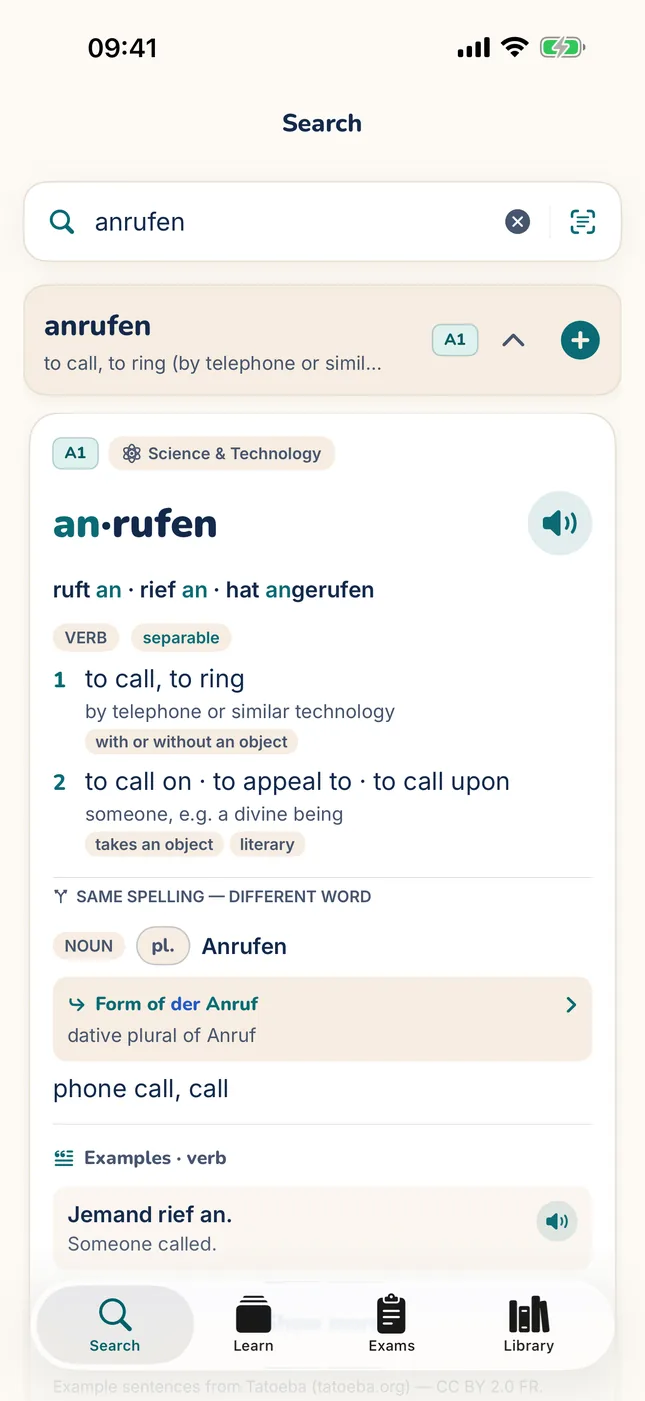
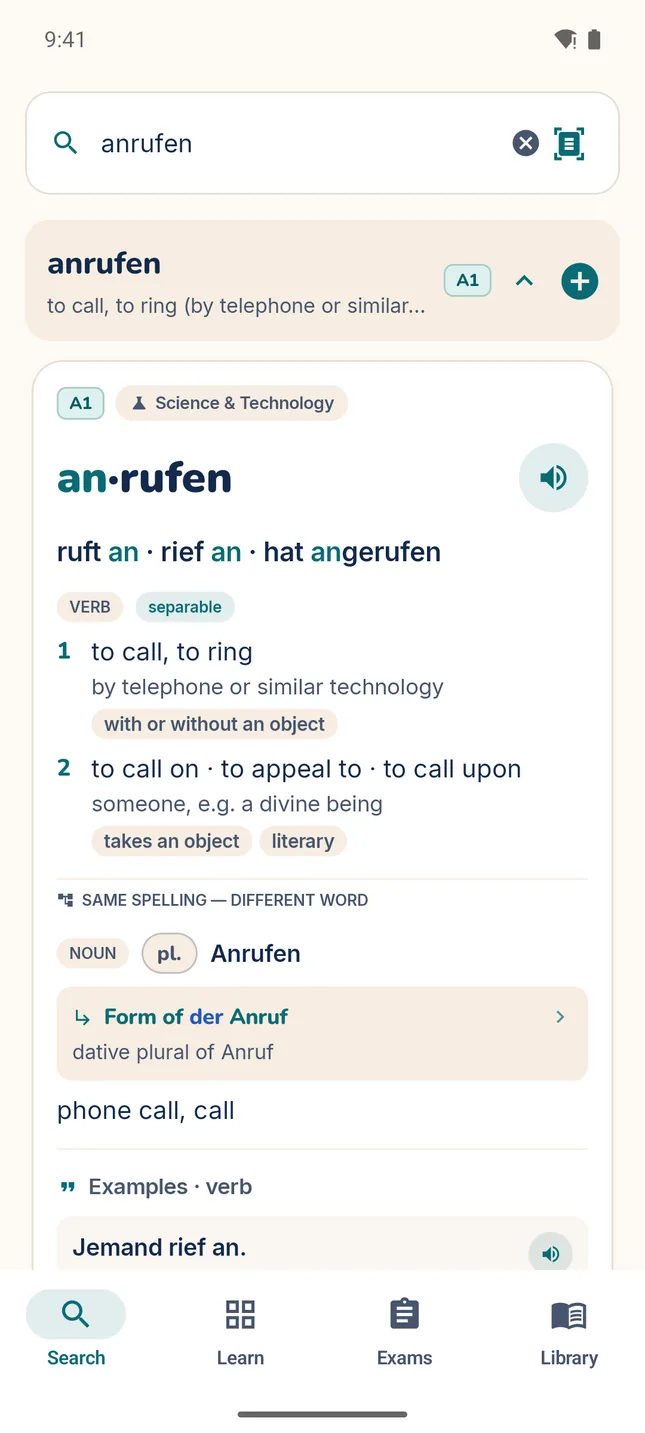
  • MitLernen word card for the separable verb an·rufen: the key forms ruft an, rief an, hat angerufen, a separable chip, and two numbered meanings.
    MitLernen word card for the separable verb an·rufen: the key forms ruft an, rief an, hat angerufen, a separable chip, and two numbered meanings.

    Grammar on the card

    Learning: Separable verbs show their split point, an·rufen, and their key forms, ruft an · rief an · hat angerufen, so the split verb reads as one word.

    Design: The key forms sit right under the word, with the separable prefix in colour, so the key grammar is visible without opening the full conjugation table.

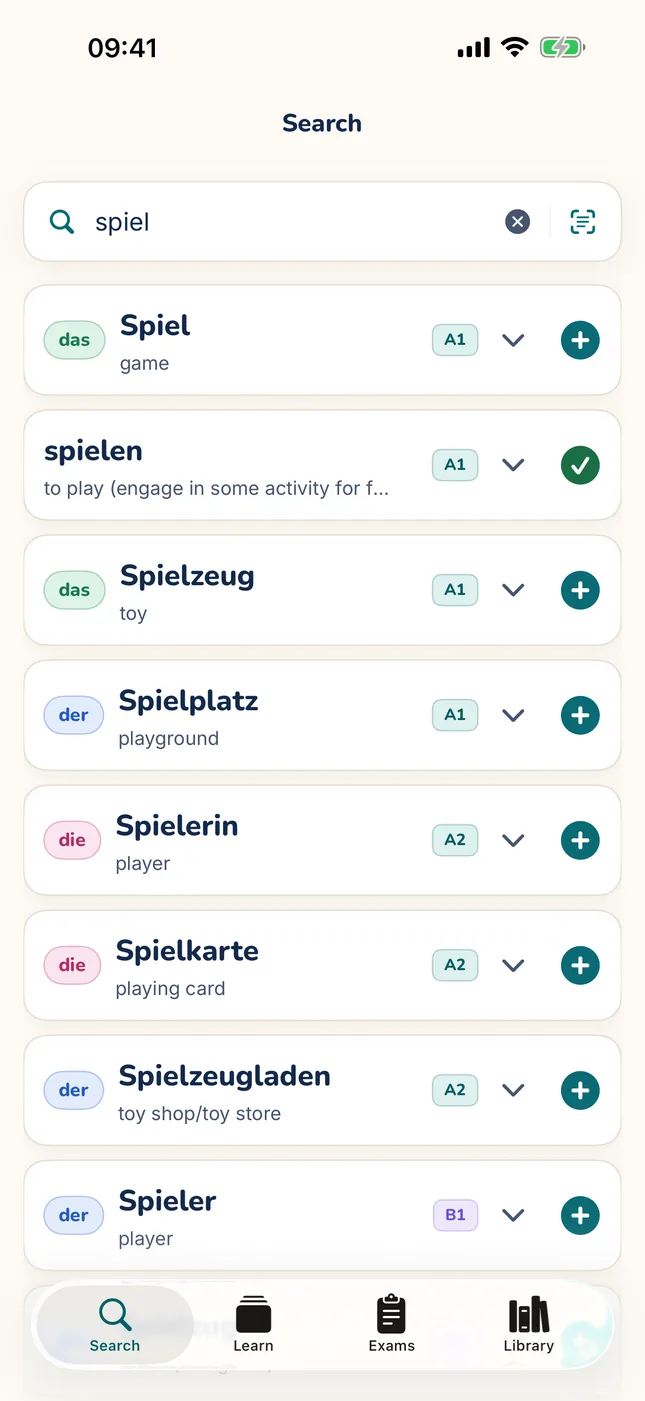
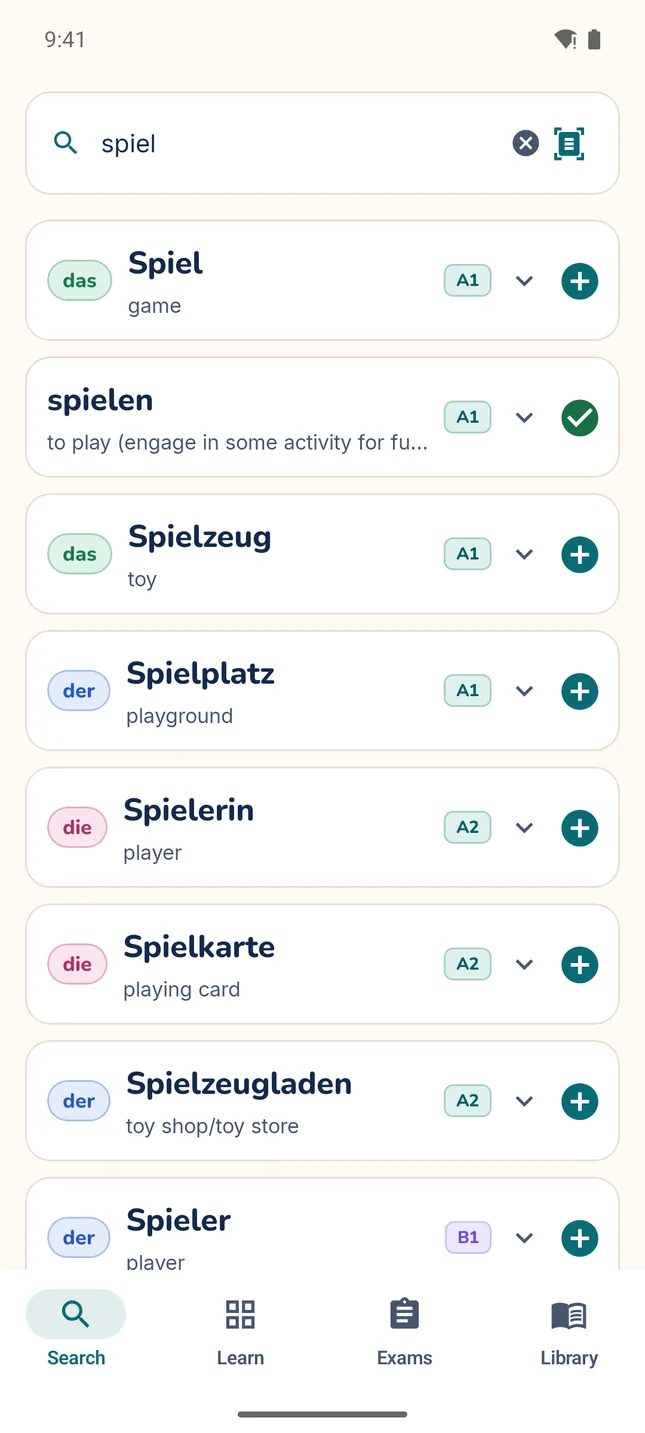
  • MitLernen search for “spiel”: Spiel, spielen, Spielzeug, Spielplatz, Spielerin, Spielkarte and more, each with its article, meaning and CEFR level badge.
    MitLernen search for “spiel”: Spiel, spielen, Spielzeug, Spielplatz, Spielerin, Spielkarte and more, each with its article, meaning and CEFR level badge.

    Search that knows levels

    Learning: Results are ranked by CEFR level, so the words a learner most likely needs come before rare ones.

    Design: Inflected forms lead to their dictionary entry, and the + button saves a word straight from the list, with an Undo.

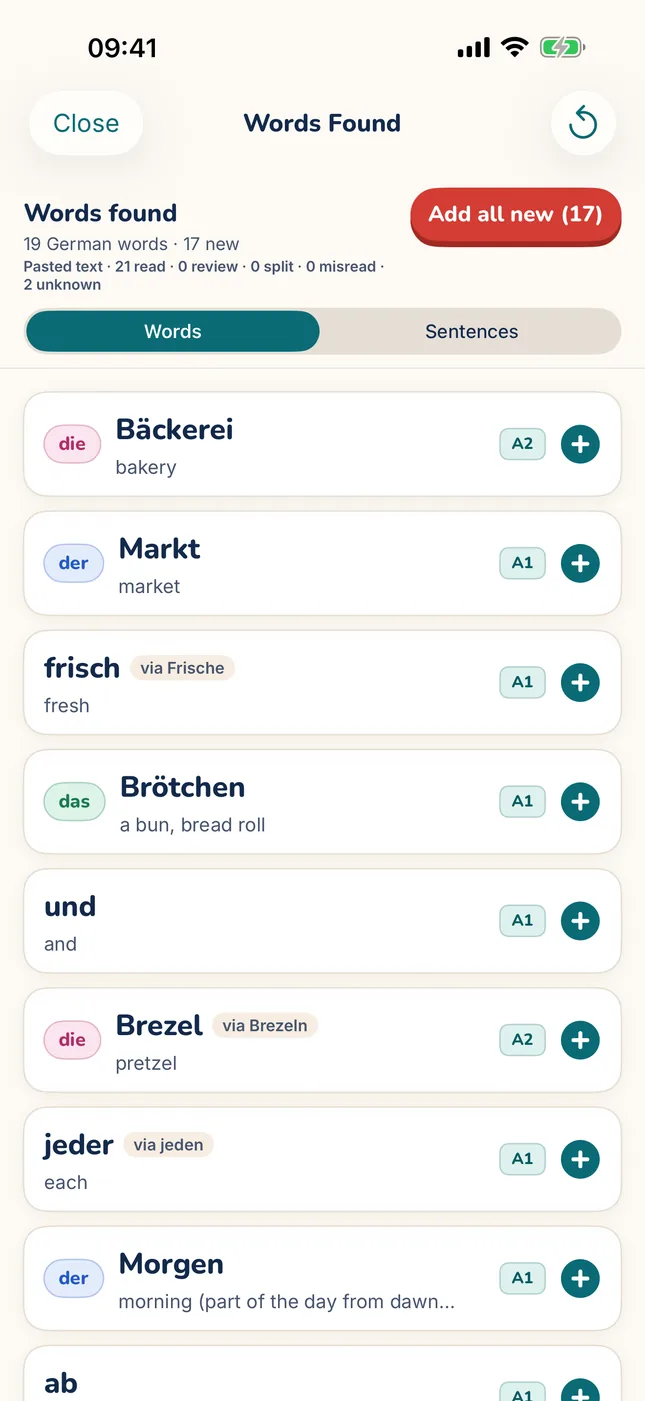
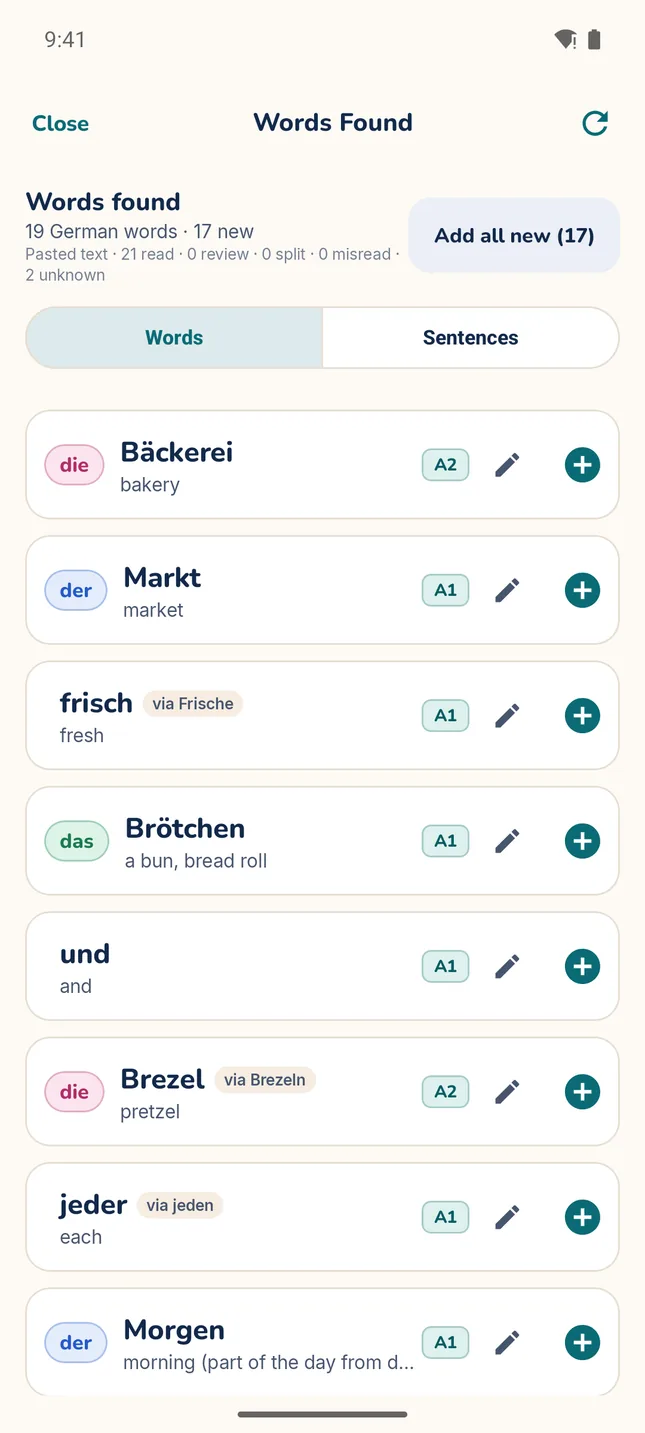
  • MitLernen Word Scan result for a pasted bakery sign: 19 German words found, each with its article, meaning, level and an add button.
    MitLernen Word Scan result for a pasted bakery sign: 19 German words found, each with its article, meaning, level and an add button.

    Words from the real world

    Learning: A word saved from a sign or a page keeps its sentence, and practice shows that sentence again after you answer.

    Design: Text recognition runs on your phone, and you choose which words to save; nothing is added without your tap.

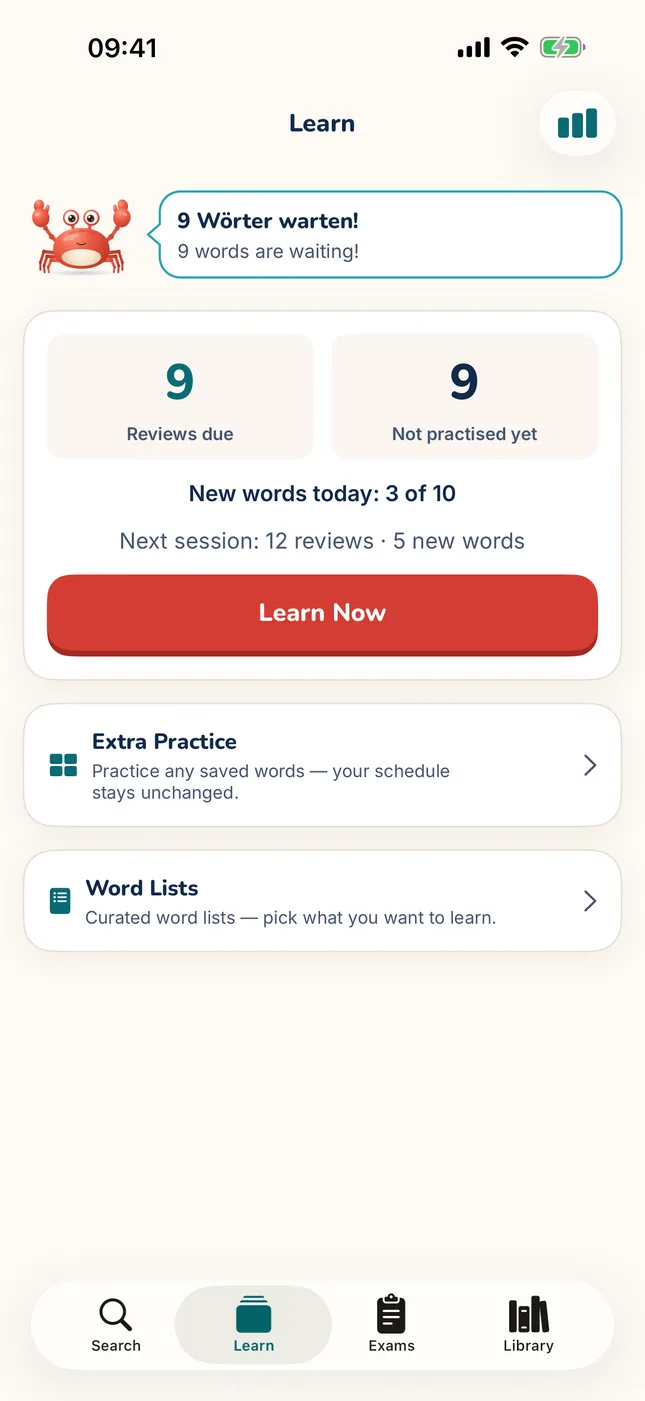
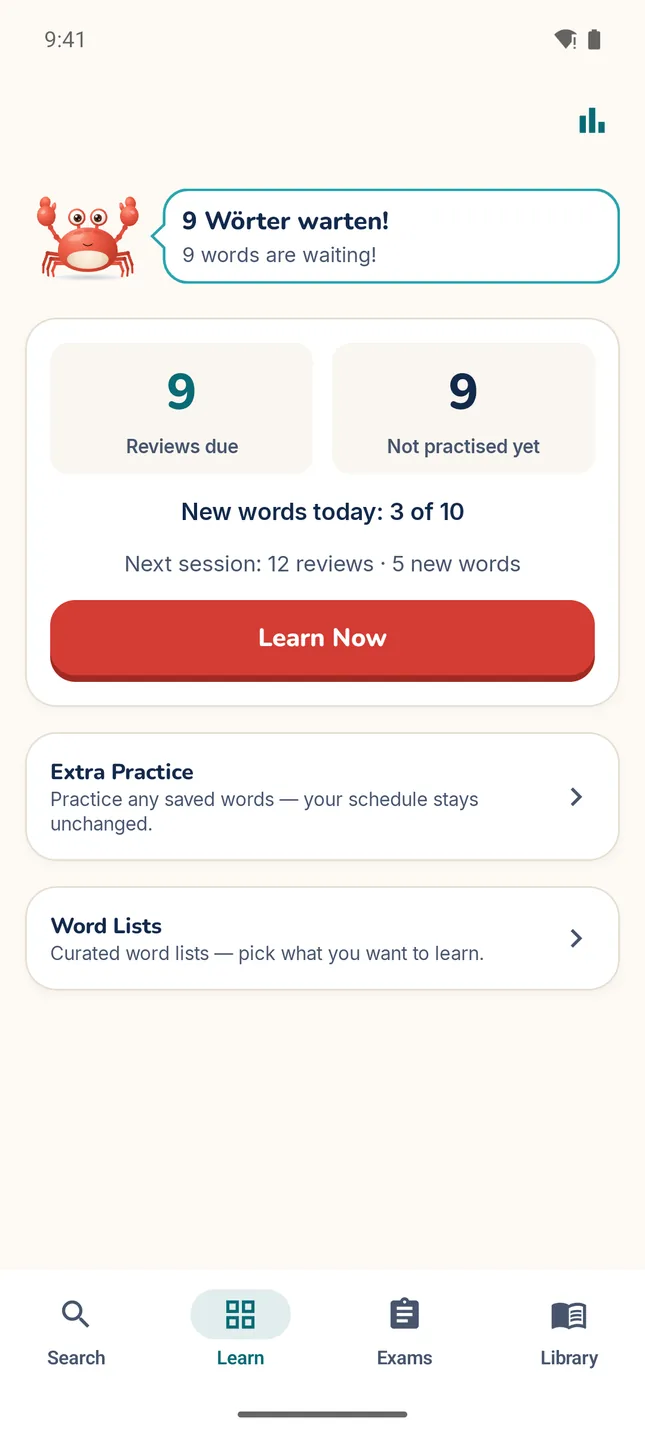
  • MitLernen Learn tab: the crab mascot saying “9 Wörter warten!”, 9 reviews due, 9 words not practised yet, 3 of 10 new words done today, and a Learn Now button.
    MitLernen Learn tab: the crab mascot saying “9 Wörter warten!”, 9 reviews due, 9 words not practised yet, 3 of 10 new words done today, and a Learn Now button.

    A calm daily routine

    Learning: The FSRS scheduler brings each word back just before you’re likely to forget it, aiming for 90% recall.

    Design: New words are capped per day (10 by default, adjustable), while reviews are never limited, so the workload stays steady.

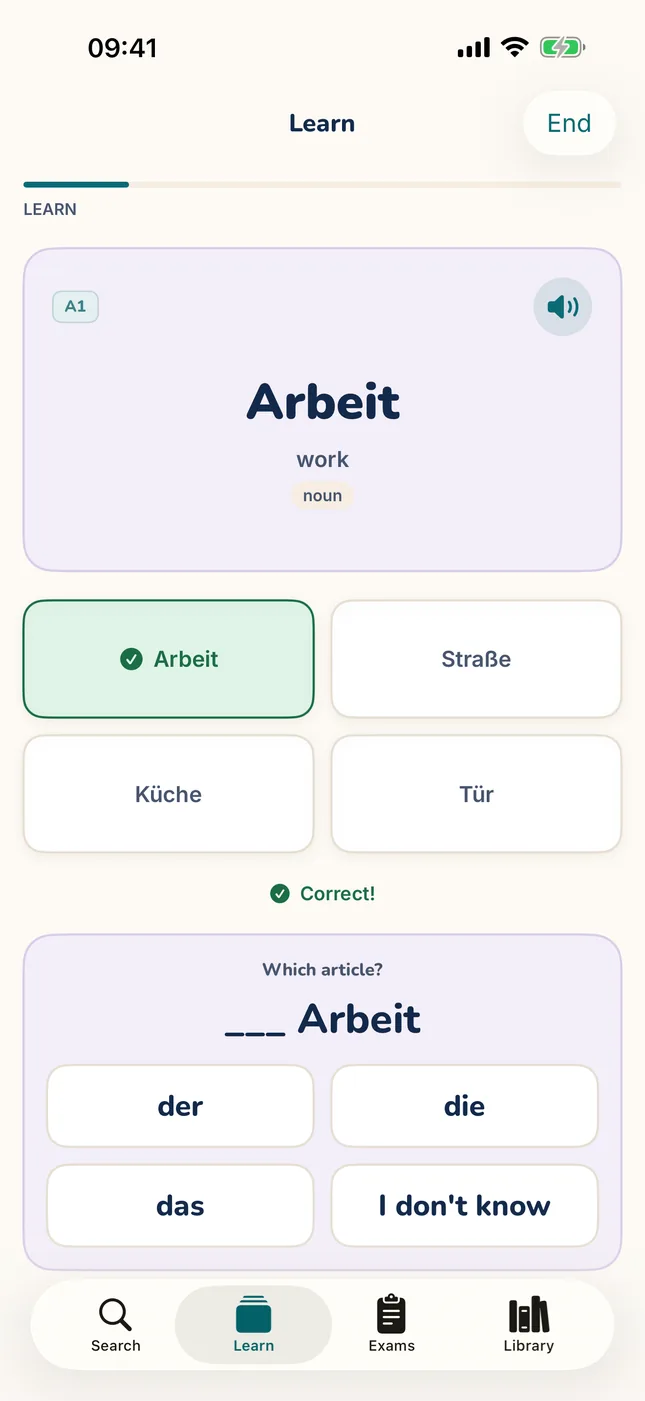
  • A MitLernen practice question: “Which German word means work?”, with Arbeit marked correct and the article question below.
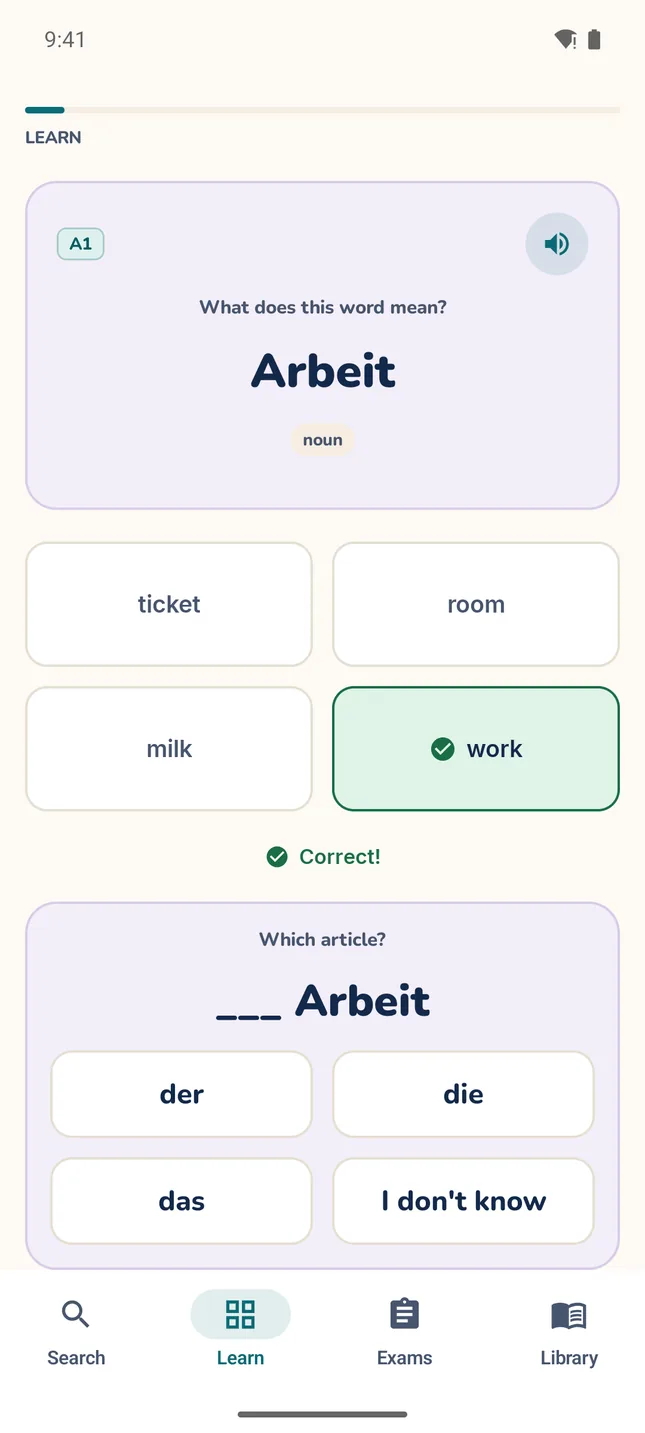
    A MitLernen practice question: “What does this word mean? Arbeit”, with “work” marked correct and the article question below.

    Questions that make you recall

    Learning: Each question asks you to retrieve the word, and the wrong options are real words of a similar level and word class.

    Design: The direction switches at random between German→English and English→German, so you learn to recognise the word both ways.

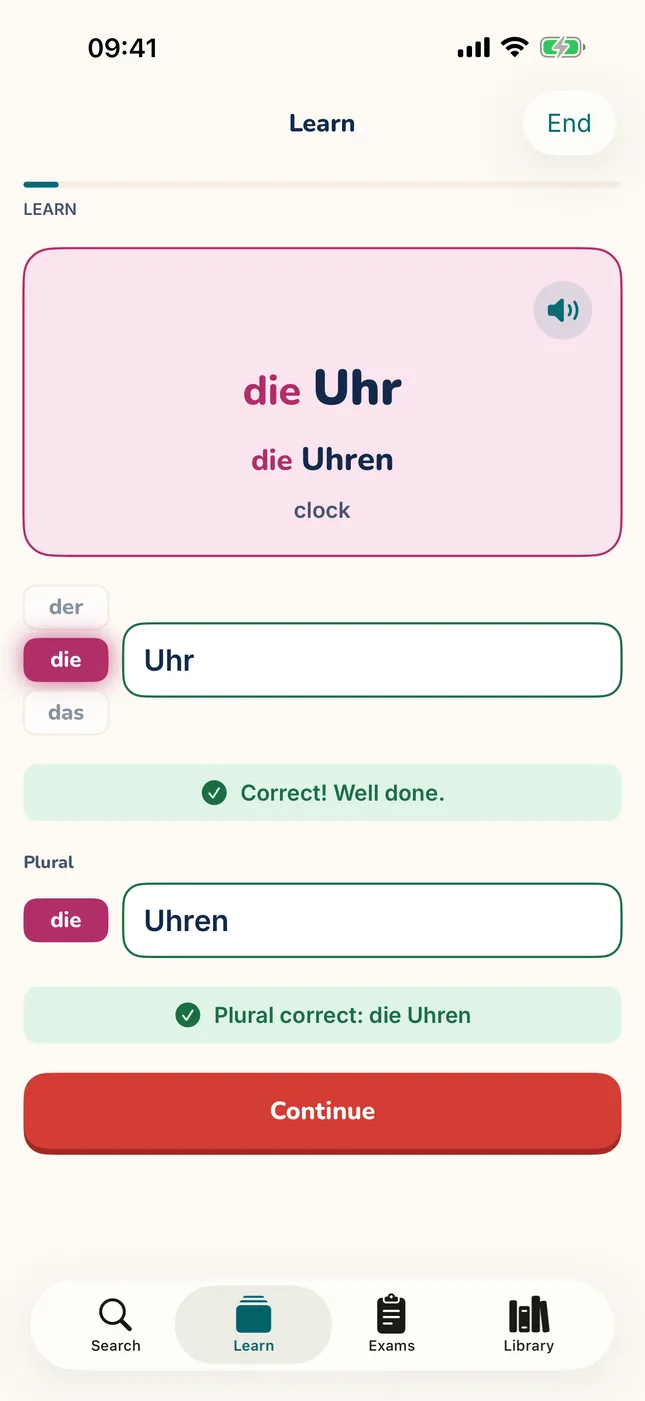
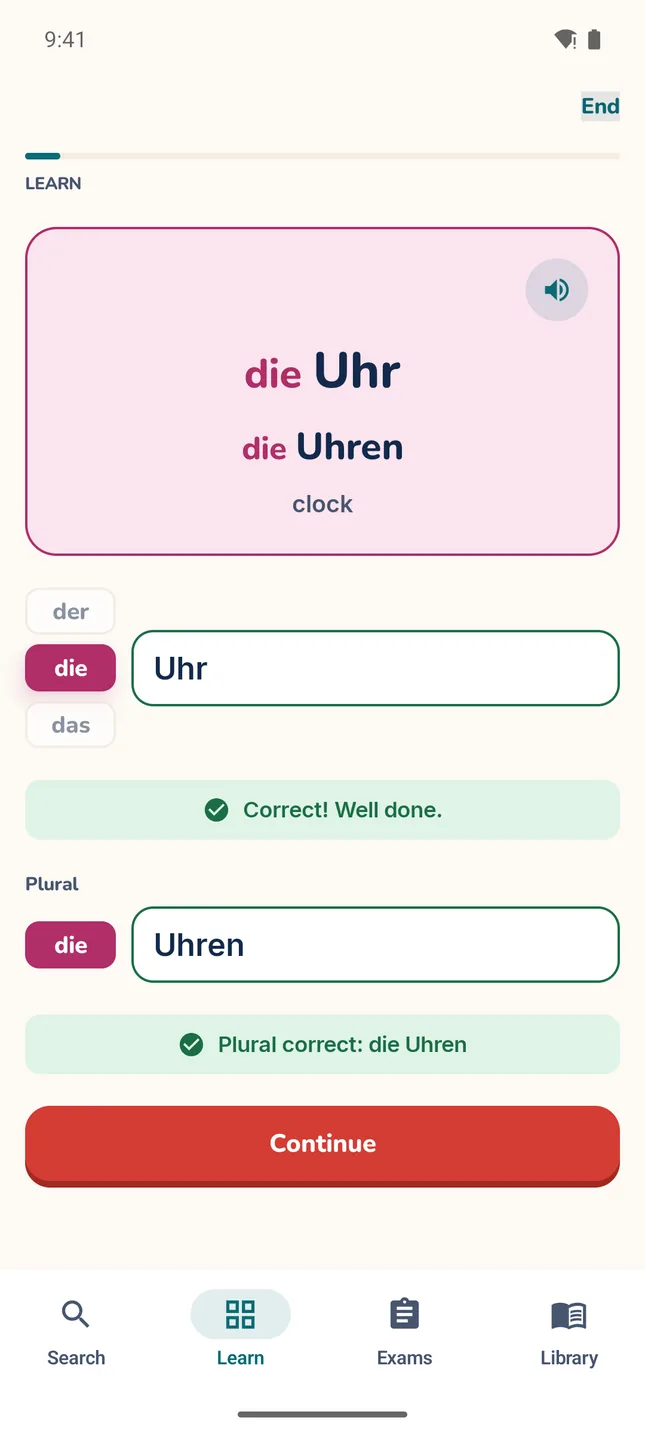
  • A MitLernen Writing card for die Uhr (clock): Uhr and the plural Uhren typed with the article die, both marked correct.
    A MitLernen Writing card for die Uhr (clock): Uhr and the plural Uhren typed with the article die, both marked correct.

    Write it yourself

    Learning: Typing the word, article included, is harder than picking it from a list, and that extra effort helps it stick.

    Design: Case never counts, ae is as good as ä, and a one-letter slip on a longer word counts as “Almost”.

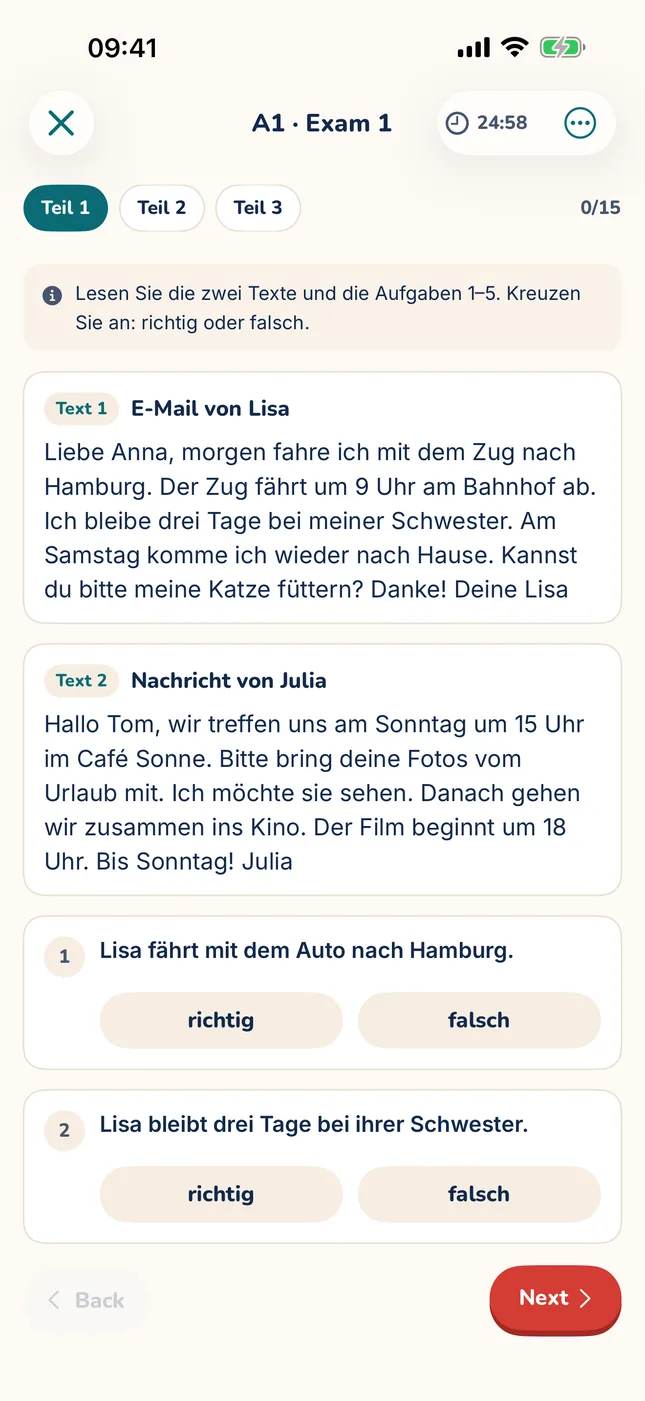
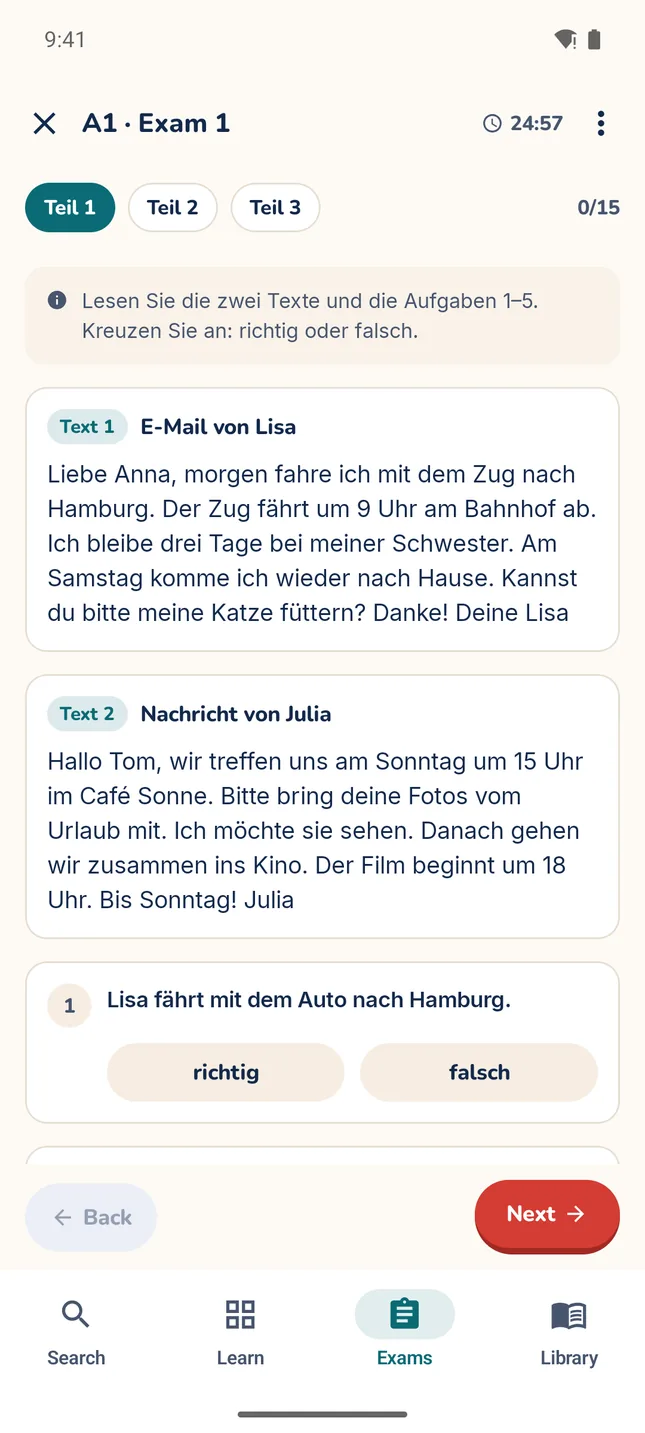
  • MitLernen A1 reading exam: two short German texts, an email and a message, with true-or-false questions below.
    MitLernen A1 reading exam: two short German texts, an email and a message, with true-or-false questions below.

    Reading at your level

    Learning: Exam-style texts written for each CEFR level give you reading you can follow. Tap any word to look it up.

    Design: Lookups are allowed and listed afterwards for saving, and the timer never submits on its own, so no answers are lost.

Same features on both platforms: the iPhone app is written in Swift, the Android app in Kotlin, and both read the same dictionary database.

Features

What’s in the app

Everything here works today in the pre-release builds for iPhone and Android. Only the upper exam levels are still being written.

  • A real dictionary

    In the app

    Meanings, grammar, conjugation tables, declensions and word families, with autocomplete search.

  • Examples that fit the meaning

    In the app

    Sentences from Tatoeba and ones written for MitLernen with Claude, matched to the meaning you’re learning.

  • CEFR levels A1–C2

    In the app

    Level badges on words, filters by level, and search that takes the level into account.

  • Real voices

    In the app

    Recordings by real speakers from Wikimedia Commons, built into the app so they play offline. Words without one use your phone’s German voice.

  • Word Scan

    In the app

    Photograph or paste German text, like a sign, a menu or a page, and pick the words to save. Text recognition runs on your phone.

  • Spaced repetition

    In the app

    An FSRS scheduler brings each word back just before you’d forget it. You practise meaning, article, plural and spelling.

  • Reading exams

    A1–B1 · 8 exams eachB2–C2 · First exams, more coming

    Exam-style reading tests written for this app. They are not affiliated with any exam provider.

  • Offline sentence translation

    In the app

    Tap a German sentence from a scan or an exam review to see it in English. It runs on your device after a one-time language download (iPhone: iOS 18 or later).

  • Ready-made word lists

    In the app

    Curated starter lists, like your first 25 words or introducing yourself, so you can pick what to learn first instead of starting from an empty library.

  • Also in the app: a progress screen, an optional daily review reminder, progress export and import, and optional backup through your own iCloud or Android backup.

  • Private by design. No account, no ads. Your words and progress are stored on your device.

Content

Where the words come from

MitLernen is built on open data, credited properly and curated for learners. Everything ships inside the app, so the dictionary works without a connection.

  • 87,621dictionary entries
  • 78,582example sentences
  • 20,849recordings by real speakers
  • 21,344example sentences written for MitLernen

Counts from the current database, October 2026.

  • Wiktionary via Kaikki.org

    Definitions, conjugations and word forms, extracted from Wiktionary with wiktextract.

    CC BY-SA 4.0

  • Tatoeba

    Example sentences from the Tatoeba community, selected, trimmed or corrected for the app.

    CC BY 2.0 FR

  • Wikimedia Commons

    Word recordings by individual speakers, trimmed and re-encoded. Every speaker is credited in the app under “Settings › Audio credits”.

    CC BY-SA, CC BY, CC0 or public domain

  • Made for MitLernen

    Example sentences written for MitLernen where the corpus had none, curated meanings, CEFR levels, topics, word lists and the reading exams, much of it drafted with Claude and checked before merging.

    Adapted Wiktionary meanings stay under CC BY-SA 4.0.

    Own work

All credits and licences

Content quality

How I ensure content quality

A good learner’s dictionary needs editorial work that one person can’t do alone: levelling tens of thousands of words, cleaning up definitions, finding examples. I use Anthropic’s Claude for that work, in a pipeline where every model verdict is recorded, checked by validators, and merged by me.

Today

  • CEFR levels. Each word starts with a level based on how often it appears in a corpus. Claude Opus then re-levels it through the Message Batches API with a calibrated prompt; the frequency rank is only a hint. Checked against public A1–B1 word lists, the levels match exactly 65% of the time and are within one level 96% of the time.

  • Topics. Claude sorts the levelled nouns, verbs and adjectives into 15 themes.

  • Learner-friendly meanings. Claude Opus reads and reviews the raw Wiktionary definitions through the API and rewrites them into short meanings, using the example sentences as evidence. A check rejects any meaning with words not found in the source.

  • Examples where none exist. When the corpus has no good example, Claude first vets the entry: is the word worth teaching, are the meanings right, is the level plausible? Only then does it draft sentences. Each draft must contain the word and show the meaning being taught; flagged drafts get a second review before I merge them.

  • Reading exams. Drafted with Claude to a fixed format and checked by a structural validator. A second Claude session solves each exam without the answer key, to catch ambiguous or wrongly keyed questions.

  • Reproducible builds. Level and topic verdicts are stored append-only with the model, batch ID and time, and every accepted result lives in version-controlled files. The dictionary can be rebuilt without calling the model again. Claude never writes to the shipped database: its output goes through validators and a merge step I run.

  • Code and security. Beyond the content, Claude also helps me with software development and app security for both apps.

Next

  • Spanish and Turkish

    Planned

    The dictionary’s meanings translated into Spanish and Turkish, for learners who don’t learn through English.

  • A personal tutor

    Planned

    Claude writes short reading texts built from your own saved words, and gives tips for the words you keep missing. Opt-in: your saved words leave your device only if you switch the tutor on.

  • More validation passes

    Planned

    Second checks of levels, meanings and examples across the whole dictionary, not just the parts reviewed so far.

  • More B2–C2 reading exams

    In progress

    One exam per level is in the app; the plan is eight for B2 and five each for C1 and C2, built the same way as A1–B1.

About

Hi, I’m Abdurrahman.

I’m an independent software engineer based in Munich, and I build MitLernen on my own: the iOS app in Swift, the Android app in Kotlin, and the dictionary pipeline they share.

MitLernen is bootstrapped and paid for by me. I’d rather ship it slowly and get it right: small steps.

Contact

Say hello

Questions, ideas, or a word that looks wrong? Send me an email. I read every message.

hello@mitlernen.com